

a font discovery tool powered by image search
2026

Project Overview
Type & Seek is a web-based tool that allows users to upload an image of text and discover visually similar fonts across multiple categories (serif, sans serif, script, display). The goal was to simplify a frustrating and time-consuming design task: identifying and matching fonts from real-world visuals.
The Problem
Designers, students, and marketers frequently encounter typography they want to replicate, but:
Font identification tools are often inaccurate/overly technical
Results are limited to a narrow set of fonts
Users don’t think in exact font names, they think in styles
This creates friction in workflows, especially for presentations, branding, and content creation.
The Goal
Design a tool that:
Quickly extracts text from an image
Surfaces visually similar fonts
Organizes results by style and category, not just rank
Feels intuitive even for non-designers

The solution
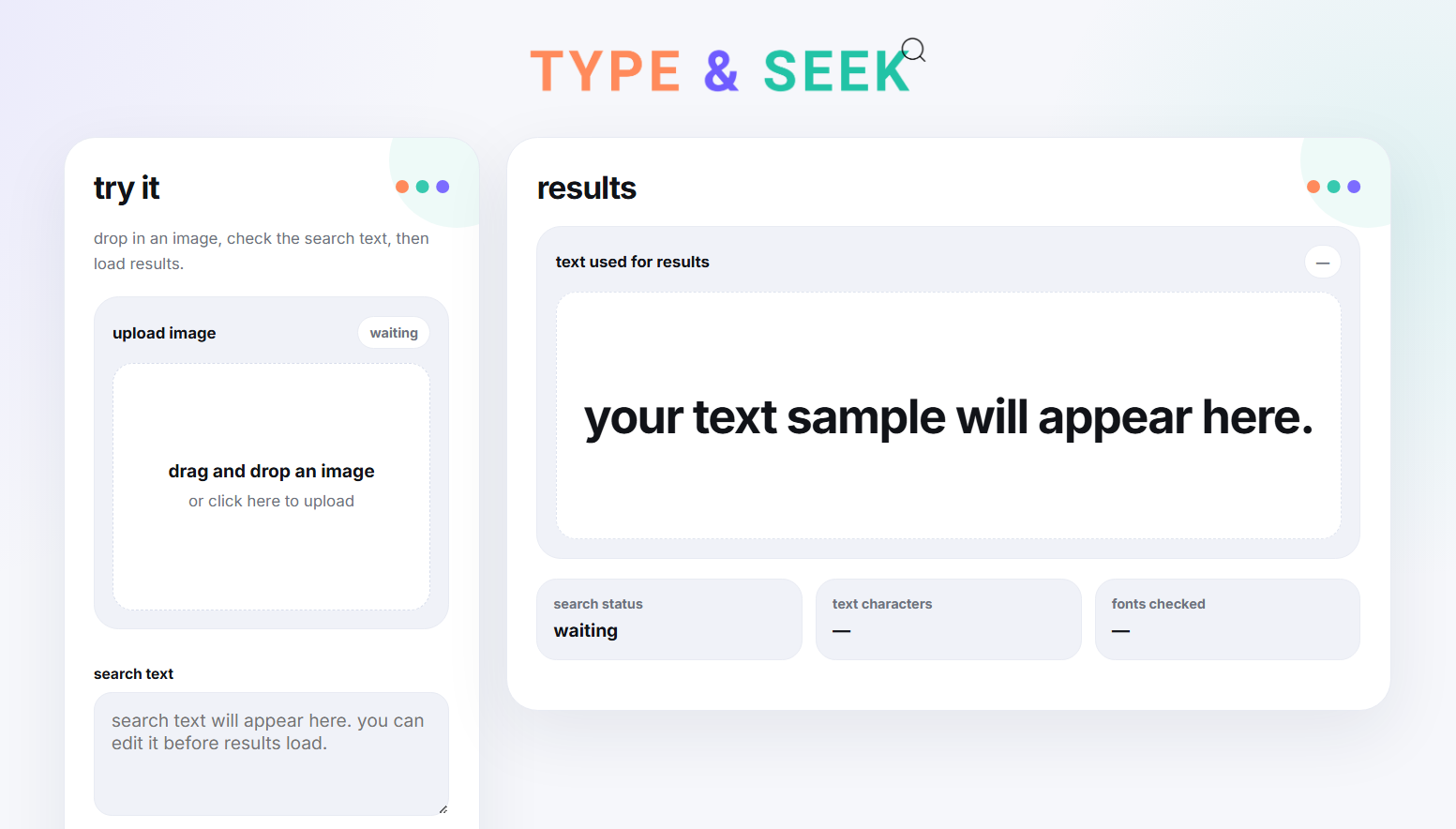
Type & Seek combines OCR (optical character recognition) with a visual comparison system to match uploaded text against a curated font library.
Key features
Image-based search: drag-and-drop upload for instant input
Live text editing: users can refine extracted text before searching
Visual font matching: compares letter shapes using canvas rendering
Category-based results: fonts grouped into serif, sans serif, script, etc.
Clickable tabs: jump between font categories instantly
Design Approach
Instead of overwhelming users with a long ranked list, results are grouped into recognizable categories.
Reduce cognitive load
Make it feel exploratory
The experience is designed less like a search engine and more like browsing inspiration with soft UI, minimal distractions, and interactive tags.
Traditional OCR technology terminology was replaced with more intuitive messaging: “search loading” instead of “processing OCR”.
Simplify language

Challenges
Ambiguous font matching
Fonts can look similar across categories. Solved by grouping results instead of forcing a single “best match”, and by allowing users to explore multiple directions.
OCR imperfections
Image quality affects text detection. Solved by adding an editable text field before search, and feedback states guiding the user.
Impact
Reduces time spent searching for fonts
Improves accessibility for non-designers
Creates a more intuitive, visual-first discovery experience